Bring traditional light control into the modern era. Wireless, easy to install, and expertly designed, these smart switches are the perfect complement to Philips Hue.

Smart light switches

The light switch — reimagined for smarter homes
Wireless installation
Don’t worry about the wiring — these smart switches are wireless, meaning you can just stick it and click it.
Simple setup
Set up your new smart light switch easily in the Hue app with default settings that get you going quickly.
Custom control
Customizable buttons let you program your smart switch to turn on your lights, set scenes, dim or brighten, and more.
Diverse design
With various styles, you can customize your home decor with a smart light switch that matches your taste.
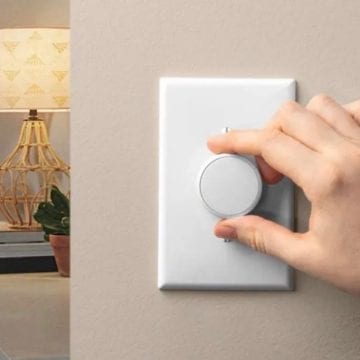
Lutron Aurora
The Aurora smart bulb dimmer switch locks a toggle light switch in the “on/up” position. That way, no one can accidentally turn the switch — and your Hue smart bulb functionality — off.
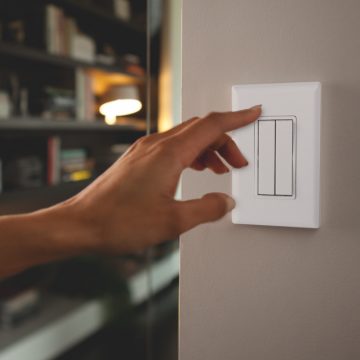
RunLessWire
With innovative, elegant designs, smart light switches from RunLessWire give you control over all your lights — and your decor.
Set up your smart light switch
Learn how to set up your new smart light switch with the Hue app.
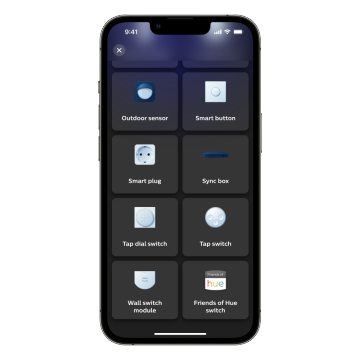
Add your switch to the Hue app
In the Hue app, go to Settings > Accessories > plus icon (+) and select Friends of Hue switch. Follow the on-screen instructions to add your switch to the Hue app.
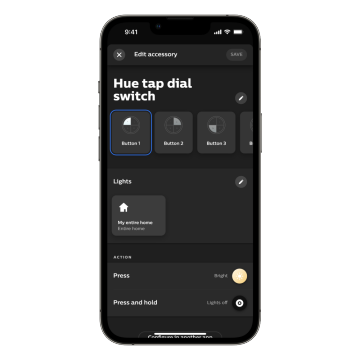
Customize your controls
Use the Hue app to adjust the settings of your switch. Choose which Rooms your light switch controls as well as which light scenes it sets.
Explore more Philips Hue
Philips Hue isn’t just lights — it’s an entire smart lighting ecosystem that brings your home together.

Hue app
Set up your smart light switches, customize them, and do even more with your Philips Hue smart lights all in the Hue app.

Works with Philips Hue
Find brands that work with Philips Hue to make your home even smarter.
Get support
We’re always happy to help! If you need more support in pairing Philips Hue with your smart switch, check out more questions and answers or get in touch with us.
*When a bulb displays "Up to" a certain number of lumens in its specifications, it displays the maximum lumen output of the bulb. It shows how bright the bulb can get at 2700 K (White bulbs) or 4000 K (White ambiance or White and color ambiance bulbs). Learn more about brightness.