It’s the first of its kind: a deep music and lighting integration that lets sight and sound intertwine. Link your Philips Hue and Spotify accounts to let your lights react to any song.


Philips Hue + Spotify

See your music come to life
Whether you’re relaxing to mood music or channeling your inner rockstar, your music becomes an experience you hear, see, and feel.
Set up Philips Hue + Spotify
You only need a few things to use Philips Hue + Spotify: a Hue Bridge, color-capable lights, and any audio device.

Create your space
You’ll need color-capable lights grouped into an Entertainment area in the Philips Hue app. Don’t have an Entertainment area yet? You can set it up when you link your accounts.

Link your accounts
Open the Sync tab in the Philips Hue app and follow the on-screen instructions to sign in to your Philips Hue and Spotify accounts.

See the sounds
Tap Start sync in the Sync tab and start listening to a song or playlist on any device that’s logged in to your Spotify account — a phone, tablet, or even your computer.
A symphony of light and sound
Philips Hue smart lighting and Spotify music are in perfect harmony. Make the most of your music — and change the way you experience it.

Deep integration
Philips Hue generates light scripts to reflect the beat of the music — and with Spotify, the algorithm is even more advanced. Light scripts are tuned perfectly to each song, matching the genre, mood, and meter.

Personalize the way you sync
Finetune your experience by adjusting the intensity, brightness, and even the color palette of your lights. Your music is personal, so your lights should be, too.

Use any audio device
No sound system is too small for Philips Hue + Spotify. Use with a complete surround sound system or relax with headphones connected to your phone.


Get Spotify
Philips Hue + Spotify works with free or paid Spotify accounts. Create a Spotify account, download the app for your phone or computer, and start enjoying the huge library of songs and playlists.
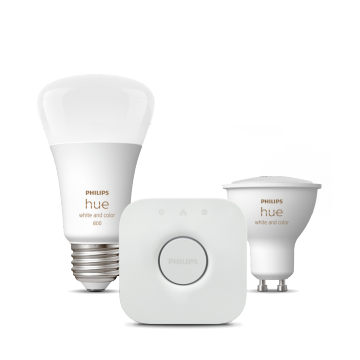
Color lights and Hue Bridge required
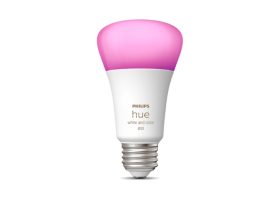
To see your lights react to music, you need color-capable Philips Hue smart lights and a Hue Bridge.
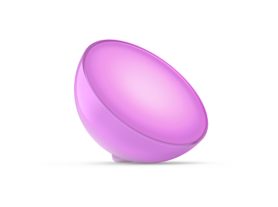
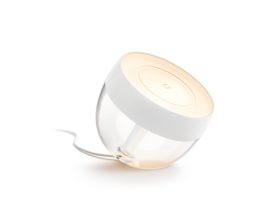
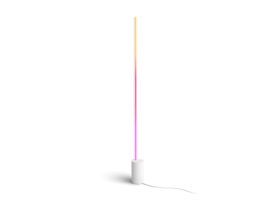
Our top picks
Questions & answers
Does the integration with Philips Hue + Spotify work with all Philips Hue products?
Does the integration with Philips Hue + Spotify work with all Philips Hue products?
What's the difference between Philips Hue + Spotify and the Music mode of the Philips Hue Play HDMI sync box?
What's the difference between Philips Hue + Spotify and the Music mode of the Philips Hue Play HDMI sync box?
What’s the difference between the Philips Hue + Spotify integration and third-party apps?
What’s the difference between the Philips Hue + Spotify integration and third-party apps?
What types of Spotify accounts are compatible with Philips Hue + Spotify?
What types of Spotify accounts are compatible with Philips Hue + Spotify?
Can I use Philips Hue + Spotify without a Spotify account?
Can I use Philips Hue + Spotify without a Spotify account?
Do users need a Spotify Premium account to connect Philips Hue with Spotify in the Philips Hue app?
Do users need a Spotify Premium account to connect Philips Hue with Spotify in the Philips Hue app?
How can I connect Philips Hue with Spotify?
How can I connect Philips Hue with Spotify?
Can I use voice assistants to control Philips Hue + Spotify?
Can I use voice assistants to control Philips Hue + Spotify?
Which version of the Hue app do I need to use Philips Hue + Spotify?
Which version of the Hue app do I need to use Philips Hue + Spotify?

Get support
We’re always happy to help! If you need more support in pairing Philips Hue and Spotify, check out more questions and answers or get in touch with us.
*When a bulb displays "Up to" a certain number of lumens in its specifications, it displays the maximum lumen output of the bulb. It shows how bright the bulb can get at 2700 K (White bulbs) or 4000 K (White ambiance or White and color ambiance bulbs). Learn more about brightness.