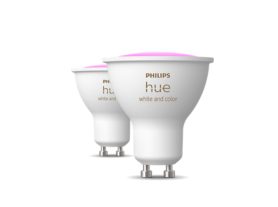

*When a bulb displays "Up to" a certain number of lumens in its specifications, it displays the maximum lumen output of the bulb. It shows how bright the bulb can get at 2700 K (White bulbs) or 4000 K (White ambiance or White and color ambiance bulbs). Learn more about brightness.

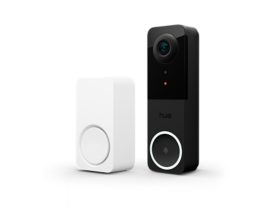
Secure smart chime
Item no longer available
about.Secure smart chime
Upgrade your home security with the Hue Smart Chime. Get sound alerts when someone rings the doorbell, no matter where you are. It’s super easy to set up—just plug it in and pick your favorite tune. It works perfectly with your existing Philips Hue system, which helps keep your home safe, day and night.
- Plug and play
- Trigger sound alarms
- Works with the Hue ecosystem
Features
- product.number.label
- 046677586652
Other
- User manual test
- No manual available
- Disposal of the product
- At the end of (economic) life dispose the product according to local rules and do not dispose the product with regular household waste. The correct disposal of your product will help prevent potential negative consequences for the environment and human health
- Dismantling
- No dismantle information available
product.faq.title
What does MotionAwareTM mean for the Smart chime?
MotionAware is a unique technology, it will turn on lights when motion is detected in room without using a motion sensor. This will work with a setup with 3 lights and/or chime or above.
Can I add tones to my chime myself?
The chime includes multiple tones to choose from however it's not possible to add new tones to the chime by yourself.
How loud is the siren functionality?
To alert neighbours and/or scare away intruders the siren loudness is 87DB.
What is a light chime and how does it work?
Light chiming is a unique Hue feature that allows you to blink one or more lights in your home when the doorbell is pressed, which is great when you don't want to be disturbed by the sound of your Smart chime for example when you are at work or when family members are asleep.
Can I configure different volumes for my Smart Chime?
Yes, via the edit screen of your Wired Doorbell you can configure the behavior of your Smart Chime throughout the day. You can configure up to 10 different timeslos, and in each a different ringtone and volume can be selected for your chimes.
Can I mute/unmute the smart chime without the Hue app?
Yes, you can mute and unmute by simply pressing the button on the smart chime.
Can I remove the front cover of the Smart chime?
No, the product is maintenance free and the front cover is fixed.